Tag Archives: apple

Vitals on the Apple Watch (from iPhone Insider)

Track sleep, heart rate, respiratory rate, temperature, blood oxygen, and sleep duration on your Apple Watch. Here’s how, from iPhone Insider (Dr Bob recommends signing up for lots of great tips and guidance on how to use your Apple Watch and iPhone 🤗

Paywalled Link on iPhone Insider

Why You’ll Love This Tip:

vitals.jpeg

In the latest version of watchOS, the Apple Watch now has a dedicated Vitals app. The Vitals app collects your health data as you sleep and brings it all together in one convenient location. Let’s take a look at the new Apple Watch Vitals app.

  • Keep track of your health data in one convenient app.
  • Compare your current vitals with the previous week.

How To Use the Vitals App on Apple Watch

System Requirements

This tip works on Apple Watches running watchOS 11 or later. Find out how to update to the latest version of watchOS.

One of the best Apple Watch features is the ability to track your sleeping habits, like your average respiratory rate and heart rate. Now, the Vitals app provides you with a breakdown of your heart rate, respiratory rate, wrist temperature, blood oxygen level, and your sleep duration. All of this data is available in one convenient app. Here’s how to navigate the Vitals app on Apple Watch:

  1. Open the Vitals app.
    img_3220.png
  2. If this is your first time opening this app, you’ll be greeted by an explanation of the app. Scroll down and tap Next.
    img_3221.png
  3. You’ll also be asked to enable notifications for this app. Tap Enable or Skip.
    img_3222.png
  4. At the top, you’ll see an overall look at your Overnight Vitals. Tap the info icon for more details on what your vitals mean.
    img_3223_0.png
  5. You can scroll down and select More Info.
    img_3224_0.png
  6. This screen will tell you the difference between Typical and Outlier vitals. Tap the X to close this screen.
    img_3226_0.png
  7. Scroll down to see individual breakdowns of each of your vitals. First, is Heart Rate. Like the Overnight Vitals, you can tap the info icon for more details on each Vital.
    img_3227_0.png
  8. Scroll down to see your Respiratory Rate.
    img_3228_1.png
  9. Next, is your Wrist Temperature.
    apple watch vitals app with a red box around wrist temp
  10. Continue scrolling to see your Blood Oxygen level.
    apple watch vitals app with a red box around blood oxygen
  11. Lastly, you can see your Sleep Duration, which is how much sleep you got the night before.
    apple watch vitals app with a red box around sleep duration
  12. You can tap the Calendar icon to toggle between Today’s Vitals and the past 7 days’ Vitals.
    apple watch vitals app with a red box around calendar icon
  13. This will show you how your vitals last night compare to the previous 7 days.
    apple watch vitals app with a red box around a 7 day graph showing vitals data over the past week

That’s how to navigate the new Vitals app in watchOS 11. Each of these data points can be found in separate apps, like Heart Rate, Blood Oxygen, and Sleep, so it’s nice to have it all available at a quick glance. The Vitals app will learn you typical sleep behaviors and if there is ever an outlying bit of data, you’ll get a notification to help you improve your sleep.

How to detect sleep apnea with Apple Watch

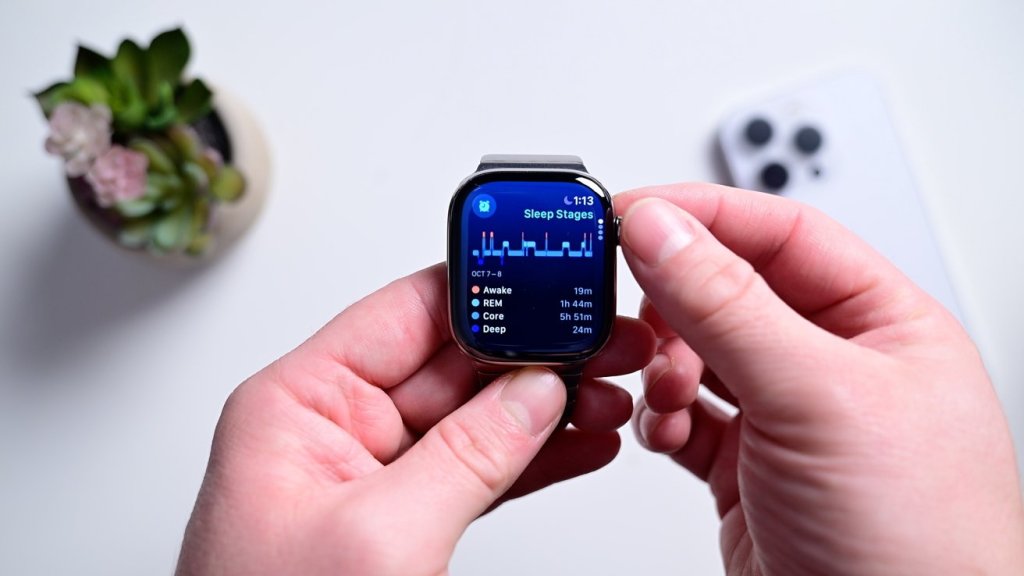
It’s quick and easy to set up sleep apnea detection. It is done from your iPhone.

• Open the Health app on your iPhone

• Go to Browse and search for “breathing disturbances”

• The first time you’ll see a button at the top that says “set up”

• Answer a couple qualifying questions and hit continue

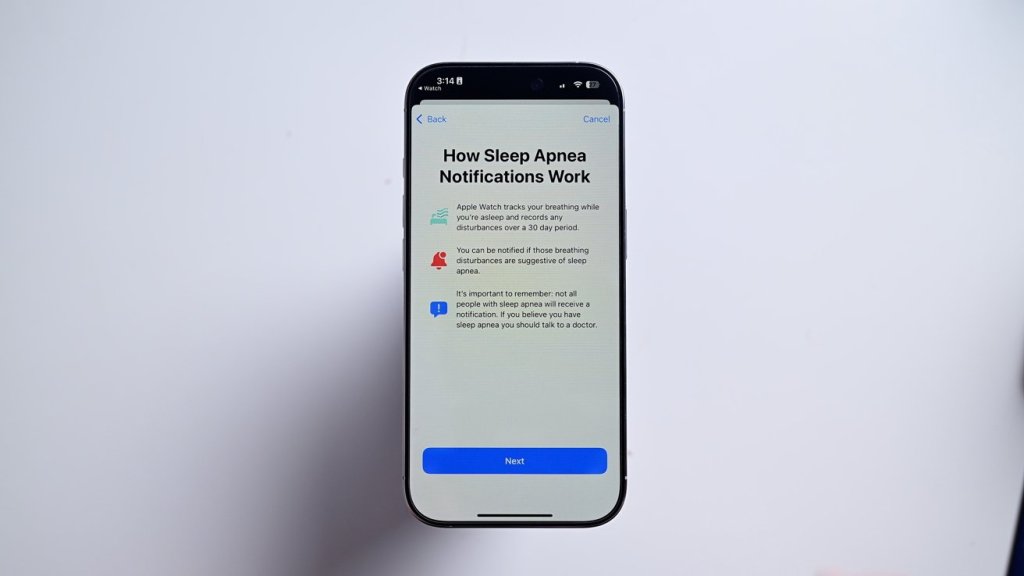
• The app gives you a brief explainer, after which you can hit next

Viewing your sleep apnea results

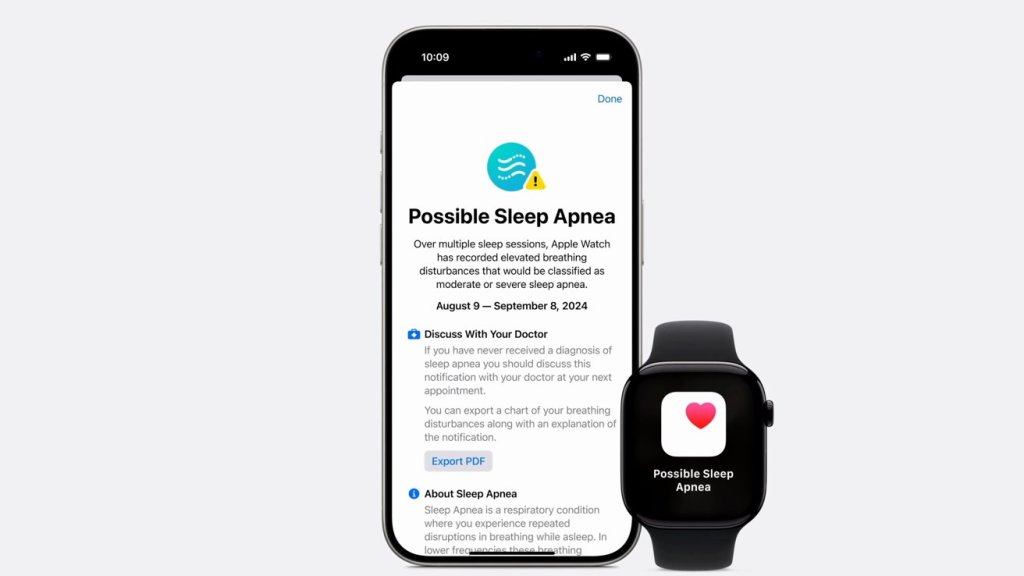
As soon as your first night you’ll see your results reflected in the Health app. If it detects an elevated level of breathing disturbances, it will proactively send you an alert.

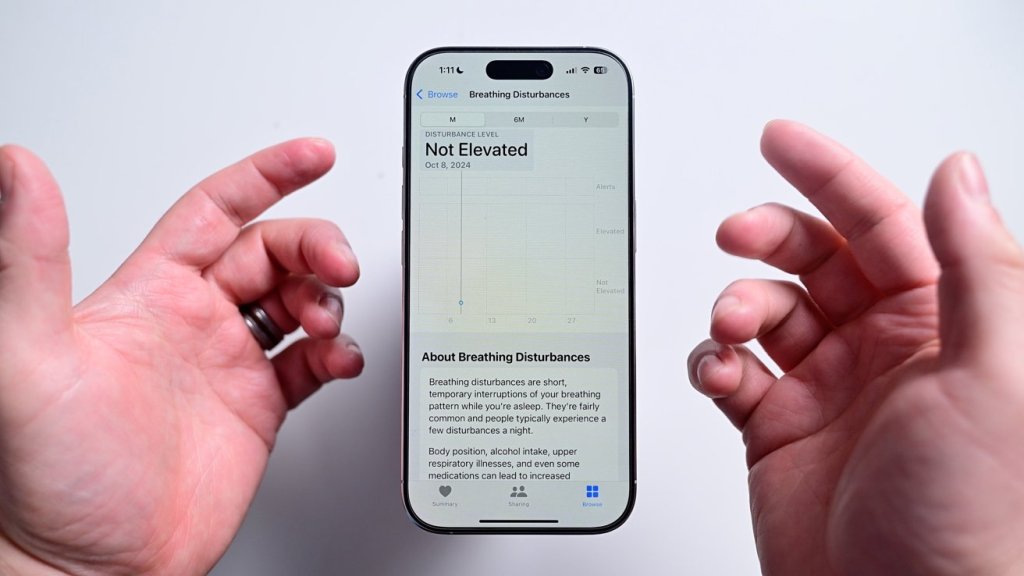
If you want to view the data for yourself, you can open the Health app once more and navigate back to breathing disturbances. It will show each night’s results on a graph on a scale from not elevated to elevated. You can view it for each night or over time. To be clear, if a positive detection is triggered, it’s not diagnosing you with anything. The data can be exported and shared with your health care provider where they can make a further diagnosis.

https://appleinsider.com/inside/apple-watch/tips/how-to-detect-sleep-apnea-with-apple-watch

AirPods Pro Can Double as Hearing Aids

Key Takeaways

  • The FDA has approved software for the new AirPods Pro 2 that turns the earbuds into hearing aids for adults with mild to moderate hearing loss.
  • The software will be available in the coming weeks. 
  • The earbuds don’t look like hearing aids, which could make them appealing to people searching for an inconspicuous way to address their hearing loss.
  • Cost is about $249 vs $2,500 or more for hearing aids

https://www.everydayhealth.com/healthy-hearing/fda-approves-airpods-as-non-prescription-hearing-aids/

https://www.soundly.com/blog/airpods-as-hearing-aids

So are AirPods Pro 2 a hearing aid alternative?

Volume: AirPods don’t help without turning the transparency volume way up. Even at max volume, I could have used some more boost. 

Clarity: I was impressed with the sound quality and clarity. AirPods are powerful, and they did a great job picking up voices and cutting background noise. I went back and forth between my premium hearing aids and my AirPods, with comparable speech clarity and noise reduction.  

Comfort: AirPods aren’t comfortable enough to wear all day, but they are fine for a few hours. I’ll continue to wear my behind-the-ear style hearing aids day to day. 

Form factor: I loved the flexibility of a great earbud with noise cancelation and volume boost during travel, but I won’t be wearing my AirPods to dinner with friends anytime soon. The social dynamics would be confusing.

Cheap Hearing Aids

The U.S. Food and Drug Administration on Thursday authorized the Hearing Aid Feature, its first over-the-counter hearing aid software device that is intended to be used with the Apple AirPods Pro

Why it matters:  A hearing aid that’s built into a relatively inexpensive and easily accessible product that many people already own could help far more people get the hearing help they need.

How it works: The Hearing Aid Feature is set up using an iOS device, such as the iPhone, and the user’s hearing levels are accessed from the iOS HealthKit to customize it. Users can refine the volume, tone and balance settings after setting up the feature.

An Apple Watch or other wearable is a smart move ďżĽ

How An Apple Watch Saved One Man’s Life

Rich DeMuro talks to Montecito resident Peter Moore, who says a low heart rate notification on his Apple Watch helped save his life.

Apple Vision Pro Game Changer for Disabled

The headset is already changing disabled users’ lives.

In her childhood bedroom, Maxine Collard had a PC connected to a cathode-ray tube monitor so massive it bowed her desk into a smile that grew deeper every year. Collard has oculocutaneous albinism, which means that her hair is naturally bleach white, her complexion maximally fair, and she has uncorrectably low visual acuity with limited depth perception. In order to see the screen, she had to crane her neck until her face was two inches from the monitor.

When Collard was in middle school, her mother bought an iMac for the family. Collard spent hours messing around on the new machine, her nose pressed almost to the glass. One day, deep in the computer’s accessibility settings, she discovered that if she held down the control key while spinning the mouse’s scroll wheel, she could instantaneously zoom the entire screen to whatever magnification level she wanted. There was a rudimentary magnifier app on her Windows computer, but she found the interface difficult to use, and the low-res image on the zoomed-in PC screen, she said, was pixelated, hard to read, “disgusting.” Her experience on the iMac, which allowed her to magnify the entire screen into a much clearer image, came as a revelation.

Earlier this year, Collard had a similar aha moment when she tried the Apple Vision Pro for the first time. Some critics of the AVP were skeptical of a device that pressed two high-resolution micro-OLED screens within millimeters of one’s eyes for hours at a time. But to Collard, the ability to (as she put it) “strap an iPad to my face” was instantly appealing.

See Link for more:

https://nymag.com/intelligencer/article/apple-vision-pro-disabled-users.html

The Lost Voice

Are you at risk for stroke or other condition that may affect your ability to speak?
Take a look at this heartwarming video.

“In honor of International Day of Persons with Disabilities on December 3, Apple released a short film, The Lost Voice, directed by Oscar-winning Taika Waititi to shed light on the true value of this technology. The story depicts a sentimental bedtime tale about a little girl searching for her missing voice. Warning: Make sure to grab some tissues before watching!”

https://www.aol.com/lifestyle/apple-charming-short-film-directed-214500041.html